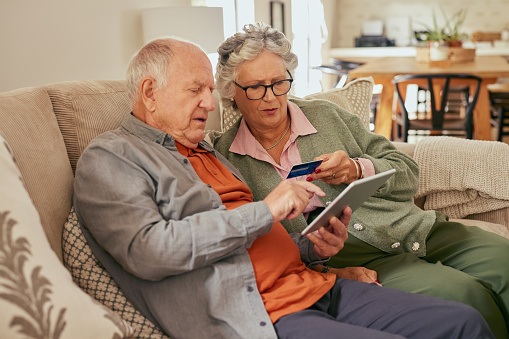
Computers and cell phones are rich sources of information and connection. But you do need to exercise some caution, since scams are increasing in both number and sophistication—costing Americans billions each year. And many of them target folks 65 and up. Here are five ways to thwart criminals and keep your personal information personal.
- Never Click an Email or Text Link, Even if It’s From “The Government”
- That official-looking link might be a vehicle for phishing, which is when cybercriminals use fraudulent communications to trick you into sharing passwords, credit card numbers or other sensitive information. Once they have these details, they can steal your identity or drain your accounts. If the message is from a company you do business with, log into your account through their website and see if it appears on your account page. When in doubt, call the customer service number on the website and ask about the message in question.
- Here’s another wise practice: Before clicking a link in any email or advertisement, hover your mouse over it to see its actual URL. If the URL doesn’t match the destination you expect, do not click. It’s also a smart move to avoid clicking on random pop-up ads, because they can download malware onto your device. Once installed, these malicious programs can spy on you or scan your hard drive for sensitive information.
- Beware of Fly-By-Night Websites
- Surfing the web is like traveling to a new city: if you stick to reputable neighborhoods and stores, you’re less likely to run into problems. Also keep in mind that official sites usually end in .gov or .edu, so if you land on a site with an address like IRS.com or IRS.org, it’s a huge red flag.
- Low-quality visuals, odd layouts and the absence of a physical address are also warning signs to take your business elsewhere. Another tip-off: deals that sound too good to be true. Scammers often create fake online stores offering incredible deals, then run ads for them on social media. Once you’re there, these sites either steal your payment information or trick you into buying fraudulent products.
- Watch What You Share on Social Media
- Your family and friends might not be the only ones interested in your grandson David’s first birthday party. When you share names and birthdays on social media, you put all that information out there for potential fraudsters to find. Some may even call you pretending to be a grandchild who’s been arrested or in a car accident and needs emergency cash. If they already know your grandchild’s name, it makes this scam much more convincing. Tip: When in doubt, confirm the story by calling your grandchild or another family member, or have a code word that only you and your grandkids know.
- It’s also a good idea to never publish or share your phone number or email address on social media platforms because this information can be used for identity theft or phishing. And those privacy settings on social media platforms? Use them! It’s a smart way to protect your contact information.
- Don’t Be Afraid to Hang Up the Phone
- Forget about politeness when you receive an unsolicited phone call. For starters, you’ve got better things to do—and scammers can record your voice—particularly the word “yes”—and use it to approve purchases you didn’t make. And remember that the IRS will never call (or email) you, so do not engage, even if they “threaten” you with arrests or fines.
- What about phone calls from charities? True, you likely have several worthy causes close to your heart. But be warned: There are lots of uncharitable scams out there—some with names that sound remarkably similar to legitimate organizations. If you really want to give to a particular organization, your best bet is to call them yourself or visit their web site. That way, you know your money is going to the right place.
- Create Strong Passwords—and Guard Them
- Whether you’re depositing a check by phone or shopping online, you likely need to enter a password to complete the transaction—and strong passwords are your best protection. Good practices include using a mix of uppercase and lowercase letters, numbers, and symbols to create long passwords (12-16+ characters), and creating a unique password for each account. Avoid using personal information like birthdays or addresses, common words or predictable patterns—and yes, that includes the word “password” itself.
- Another option is to use an app like LastPass to safely store all your login credentials—and automatically fill them in. That way, you only need to remember one master password. These apps also allow you to store and encrypt other sensitive information, such as credit card numbers and insurance policy details, for an extra layer of security.
One final note: Sometimes, despite all our precautions, scams happen. If you suspect you’ve been victimized, don’t be embarrassed—take action. Immediately stop all contact with the scammer, report the fraud to your financial institutions and change the passwords for any compromised accounts. You may also want to report the incident to law enforcement, as well as government agencies like the FTC or the Consumer Financial Protection Bureau to help prevent others from being scammed.
Many tech-savvy people are residents of Springmoor, and they’re always ready to share their knowledge or lend a hand to neighbors who need some technical help. Our IT staff, too, supports residents through our business center and online resident portal. Experience it for yourself. Schedule your in-person tour by calling 919-651-4844.